
14-Aug-24 – Outlook Auto-reply Message
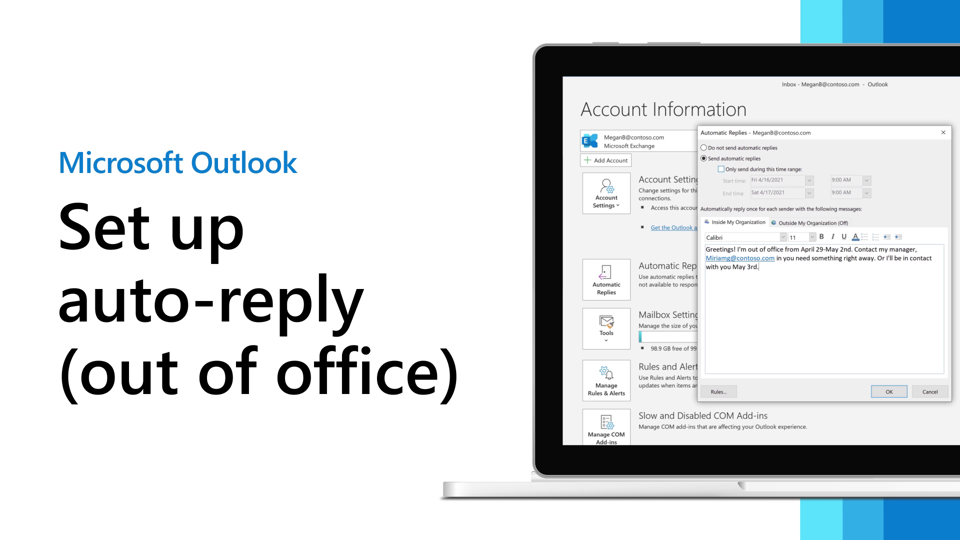
Dear All,
Please remind to follow the established leave guidelines when you need to take time off. Kindly note you must not use any other text or format.
Note that for “Inside My Organization” and “Outside My Organization” you must use (including brackets) the following text: {EMAILSIGNATURE} and the signature will be created automatically. Do not copy/paste your signature or any other text.
——————
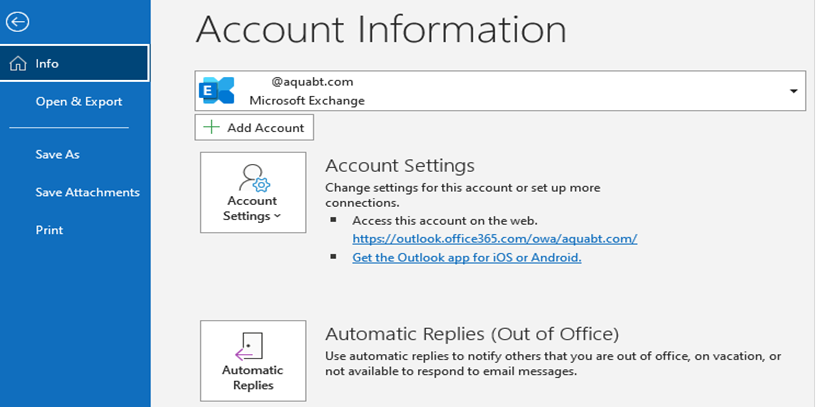
1. From Microsoft Outlook, click on “Menu” item on the top bar, then on “Automatic Replies”
2. Select “Send automatic replies” and thick and fill “Only send during this time range” if you know the exact time frame you’ll be out of the office. If don’t please leave unticked and continue to step 3.
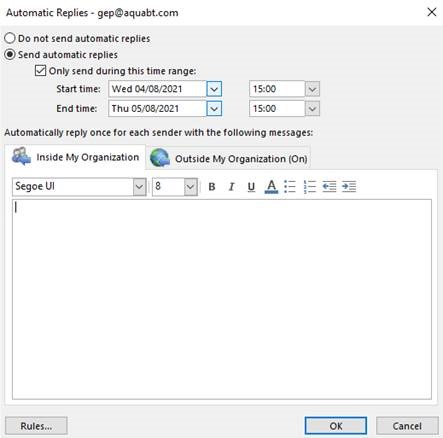
3. Make sure you choose: “Outside My Organization” so the auto-replies will be sent to External Senders and use the following template (fill with your personal information)
——————
Dear Sir/Madam,
I will be out of the office from the [Monday 1st Month] until [Monday 1st Month], both days inclusive.
I will be checking my emails periodically
OR
I will not have any email access and be unable to respond at this time.
Should the matter be urgent, please contact me on +356 0000 0000. Otherwise, please email my colleagues
Colleague 1 – one@aquabt.com
OR
Colleague 2 – two@aquabt.com
OR
Colleague 3 – three@aquabt.com
Thank you for your understanding.
Regards,
{EMAILSIGNATURE}
——————
4. For the field “Inside My Organization”, please use the following template”
——————
Dear,
Thank you for your email. I am currently out of the office from the [Monday 1st Month] until [Monday 1st Month].
During this period I will have limited access to my emails. For urgent matters please contact Colleague 1 – one@aquabt.com OR Colleague 2 – two@aquabt.com
Best Regards,
{EMAILSIGNATURE}
——————
If you require additional information, please don’t hesitate to contact us at helpdesk@aquabt.com
Best regards
IT Help Desk
AquaBioTech Group
Email : helpdesk@aquabt.com
Extension : 999

